
I've been working on a mixed-mode Blazor app for some time, and noticed that every now and then, when it switched from server rendering to WASM, I would see the page content briefly, then the browser tab went black, and I got a crash message...

Often, clearing the browser cache would fix the issue, but often it wouldn't, and I would be stuck.
So, I spent a very frustrating few hours yesterday trying to work out what was going on. After jumping through hoops adding try/catch around code blocks, error boundaries in my markup and so on, I finally discovered that Edge produces a dump when it crashes. You can see these by opening a new tab and navigating to edge://crashes. This shows a list of dump files, and has a button to open the containing folder...
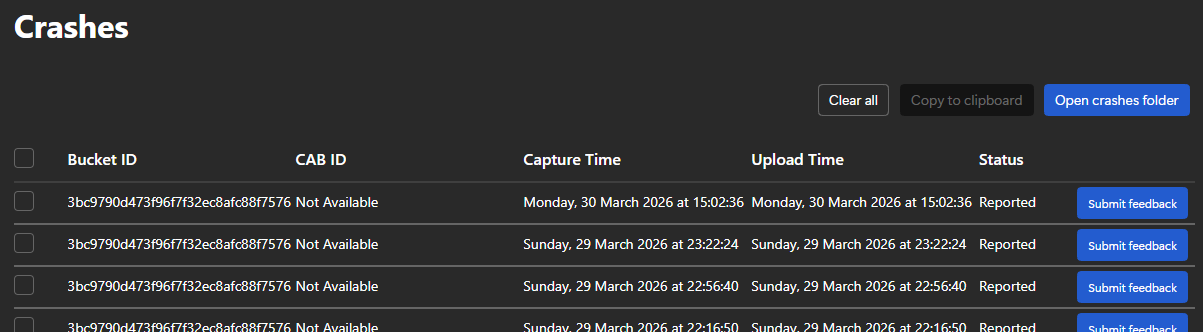
I downloaded WinDbg from the Windows Store, and used it to open a dump file. I wasn't really sure what to do at this point, but Claude (which had suggested WinDbg in the first place) said to run the command !analyze -v and paste the output for analysis.
The crash stack included...
msedge!logging::LogMessage::HandleFatal msedge!logging::LogMessage::Flush msedge!logging::LogMessage::~LogMessage msedge!SkAbort_FileLine msedge!SkBitmap::allocPixels msedge!blink::PictureSnapshot::Replay msedge!blink::InspectorLayerTreeAgent::replaySnapshot msedge!blink::DevToolsSession::DispatchProtocolCommand
The 4th line there is a Skia graphics library abort, which is followed by a failed attempt to allocate bitmap pixels.
It seems that the crash had nothing to do with my Blazor app at all, it was Edge's DevTools crashing the renderer process when it tries to replay a layer snapshot for the Layers panel in DevTools. Specifically:
SkBitmap::allocPixels— Skia (the graphics engine) failed to allocate memory for a bitmapSkAbort_FileLine— Skia treats this as a fatal error and abortsblink::InspectorLayerTreeAgent::replaySnapshot— this is DevTools inspecting the compositor layers
The crash is caused by having DevTools open, not by my application. Edge is hitting a bug where the DevTools layer inspector tries to snapshot a bitmap and fatally aborts when it can't.
Closing DevTools fixed the issue.
The problem of course is that for a developer, not using DevTools is a major problem. However, this clearly identified the problem.
The fix turned out to be simple. From the DevTools settings (click f1 while in DevTools), if you scroll right to the bottom, there is an option to reset and reload DevTools. Once you've done that, it all works fine, well, as long as you don't use the bits of DevTools that contain the bug...
Further research revealed that the bug (for that indeed it what it is) only occurs when DevTools uses one of the rendering tools, such as 3D View or the Layers panel. However, as I only remember ever using the former once (a looooong time ago), and don't think I've ever used the latter, this was a puzzle. However, the evidence was clear, resetting DevTools allowed the app to work fine, and opening any of the rendering tools caused it to crash.
So, in summary...
- The crash was caused by a persisted DevTools panel state (almost certainly the 3D View I opened once long ago)
- Edge was silently restoring that panel on every DevTools open, triggering the layer snapshot, which caused Skia to abort
- My Blazor app, my code, my packages, my cache headers — none of it was ever the problem
To avoid it happening again, just be mindful of the 3D View and Layers panels — don't open them unless you need them, and if you do, close them before closing DevTools so Edge doesn't persist them. If you do hit the issue, reset DevTools and you're good to go - until the next time!
Of course, you could just use Chrome or FireFox for developing and avoid the issue altogether!
Comments
No approved comments yet.