
For clarity, when I refer to a "hybrid Blazor app" in this post, I mean the feature introduced in .NET 8, whereby components can be rendered on the server whilst the WASM loads in the background, and then be rendered in WASM afterwards. I'm not referring to MAUI, or any other Blazor-related technology.My default setup for these apps is to have a server project, a client project, and a common project which is where pretty much all of my components live.
I was working on a .NET 9 hybrid Blazor app today, and typed an incorrect URL in the browser address bar. To my surprise, I was faced with a rather plain, unhelpful page...
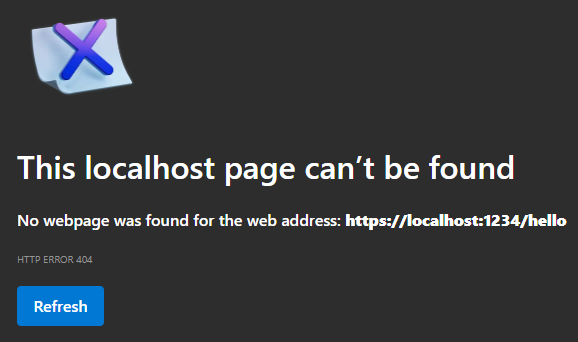
This was in Edge, but the same idea happened in other browsers.
Now the odd thing is that I had added some code to my app to show a custom 404, which used to work. For some reason, it had stopped working, even though I hadn't changed it.
Anyway, I set about trying to fix it. It was a long struggle, mainly because I made the mistake of asking Copilot to help! Without venting my frustration at the endless bad suggestions, non-compiling code and going round in circles that it suggested, I'll summarise what I ended up with that did most of what I wanted.
For reasons that will become apparent soon, I created a standalone component for the 404 content. I called it NotFoundContent.razor, but this is purely arbitrary. What you show here is up to you, but something like this is a good start...
<h1>Sorry, we couldn't find that page.</h1>
<p>The page you requested doesn't exist.</p>
With that in place, we can use it in two places. First, in the client project's Routes.razor...
<Router AppAssembly="typeof(Program).Assembly" >
  <Found Context="routeData">
    <RouteView RouteData="routeData" DefaultLayout="typeof(MainLayout)" />
  </Found>
  <NotFound>
    <PageTitle>Not found</PageTitle>
    <LayoutView Layout="@typeof(MainLayout)">
      <NotFoundContent />
    </LayoutView>
  </NotFound>
</Router>
We can then add a NotFound.razor component to the server project...
@page "/not-found"
@attribute [IgnoreAntiforgeryToken]
@using Microsoft.AspNetCore.Mvc
@using MyProject.Common.Layout
@layout MainLayout

<PageTitle>Page not found</PageTitle>

<NotFoundContent />
The second and third lines are there because I was getting anti-forgery runtime exceptions when hitting a non-existent URL...
InvalidOperationException: Endpoint /not-found (/not-found) contains anti-forgery metadata, but a middleware was not found that supports anti-forgery. Configure your application startup by adding app.UseAntiforgery() in the application startup code. If there are calls to app.UseRouting() and app.UseEndpoints(...), the call to app.UseAntiforgery() must go between them. Calls to app.UseAntiforgery() must be placed after calls to app.UseAuthentication() and app.UseAuthorization().
This is probably because I have custom middleware to restrict the API endpoints in the app. It may be that you won't need those lines.
The final part was to ensure that I had the server project's Program.cs configured correctly. I had to reorder some of the lines to avoid the exception above. The important parts are shown below...
app.UseAuthentication();
app.UseAuthorization();
app.UseAntiforgery();
app.UseStatusCodePages(context => {
  if (context.HttpContext.Response.StatusCode == StatusCodes.Status404NotFound) {
    context.HttpContext.Response.Redirect("/not-found");
  }
  return Task.CompletedTask;
});
app.UseMiddleware<ApiAuthoriseMiddleware>();
app.MapRazorComponents<App>()
  .AddInteractiveServerRenderMode()
  .AddInteractiveWebAssemblyRenderMode();
app.MapControllers();
With all of this in place, I had my custom 404 working...

However, there are two issues with this...
- I would like the URL to remain at the non-existent one, so the user can check and correct it. The code shown here redirects to the not found page, meaning that you see
/not-foundin the address bar. This isn't major, but it's annoying. - What actually happens when you hit a non-existent page is that the code in
NotFound.razoris rendered first (I think this is during the static rendering phase), so you see it briefly, and then it is replaced with the code specified in the<NotFound>section ofRoutes.razor. By using a common component in both places, you don't notice this. I'm sure there must be a way to have the 404 code in one place, but I gave up trying to work out how.
A lot of work for something that I hope no-one will ever see!
Comments
No approved comments yet.